Tools and Processing
Mission Groups
Learn how to create a mission group in Nova, add the people who should be notified, and share your livestream with them through DJI Pilot 2 or Aircast.
Creating a Mission Group
Open your settings.

Select the “Mission Groups” tab.

Select “New Group.”

Name your group so it makes sense for your operation. Whether it is mutual aid, a specific incident, or an admin team that always needs to be notified, a clear name makes it easy to pick the right group later.

Add the names, emails, or phone numbers of the people you want to notify. People in your workspace can be searched by name, or you can create contacts to find them faster.

Choose an icon and colour so each group is easy to tell apart.

Select “Create,” then save your changes.

Save all changes

Sharing and notification settings
Use “Auto Notify” to choose when people in the group are notified.

Open the stream Link here or copy the link or QR code. This link is static, so every stream shared with the group uses the same link or QR code

Turn on password protection so that only the people you share the link with can watch.

If you think someone has access who should not, toggle password protection to generate a new URL.
Sharing Mission Groups From the Aircast
On the controller, Nova Aircast lets you choose which mission groups get your stream, and update who is in a group, right before you go live.
From your workspace, tap “Start.”

Tap “Share with.” Any mission group set to Auto Notify is already selected, and the number of people it will reach shows on the card.

Check the mission groups you want to share with, and uncheck any you don’t.

To change who is in a group, tap “Edit Groups,” then select the group.

Enter an email or phone number in “Add Emails or Phone Numbers.” If an entry isn’t valid, you’ll see “Invalid email or phone number.”
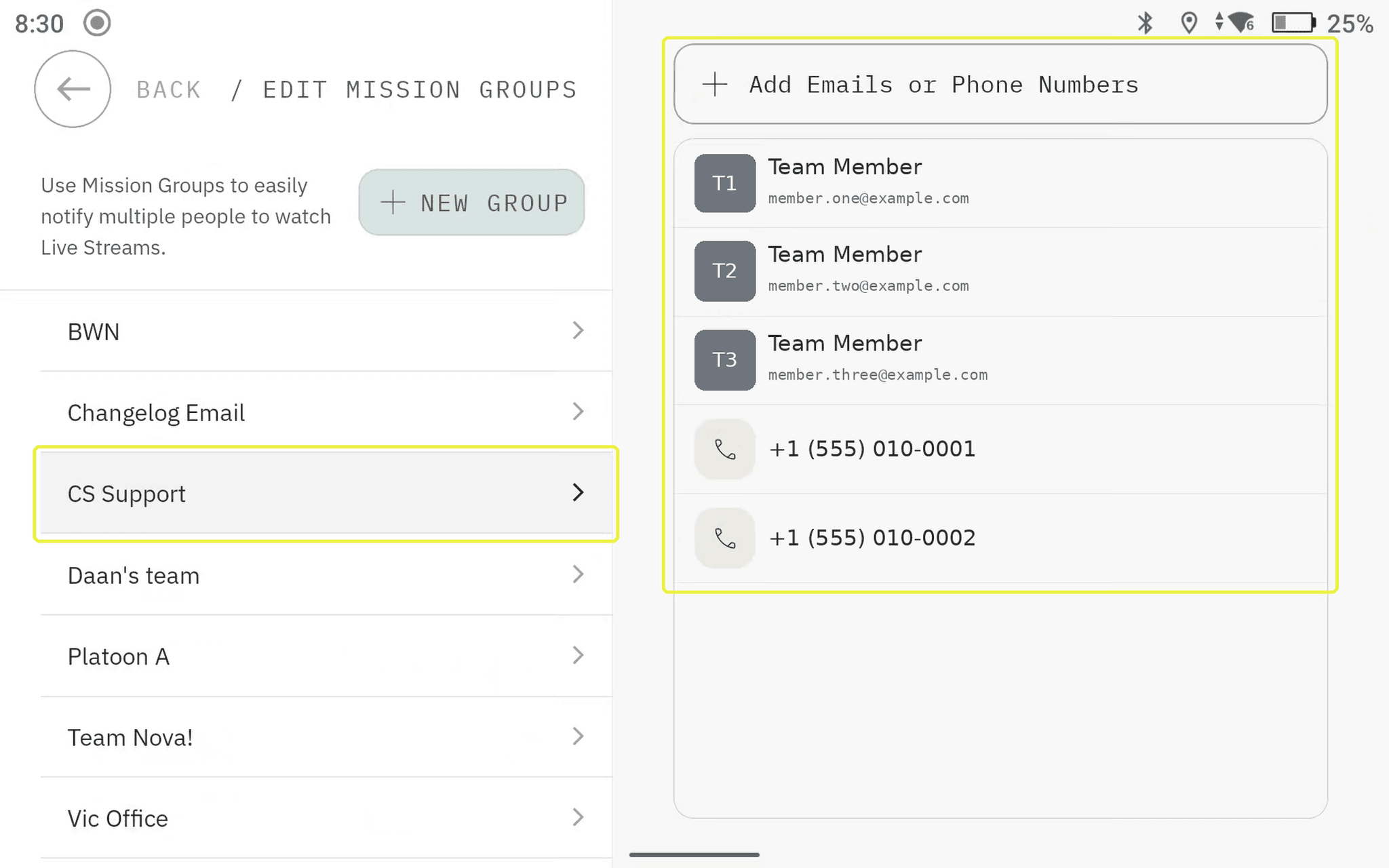
Tap “Back,” check the number of people, then tap “Confirm.”

Tap “Choose a project,” then tap “Select” on the project you want to stream to.

Tap “Start” to go live with your selected mission groups.

Related to Tools and Processing