Foundations
Turning on Graphics Acceleration
Processing high-resolution long videos or images requires time. To speed up processing and improve your overall experience, enabling graphics acceleration is essential.
Graphics acceleration enhances the performance of Video Colorfinder and the Video feature.
For the best experience using Nova, we recommend using Google Chrome as your internet browser and verify that graphics acceleration is enabled. Follow the steps below to find this setting in Chrome and improve processing times!
*If your Map layer or Colorfinder Video looks like this Follow the Steps Below *


Turning on Graphics Accelerator through Chrome
In an existing or new Google Chrome instance, click the Menu button located within the same row as the address bar.

With this new menu open, click the Settings button

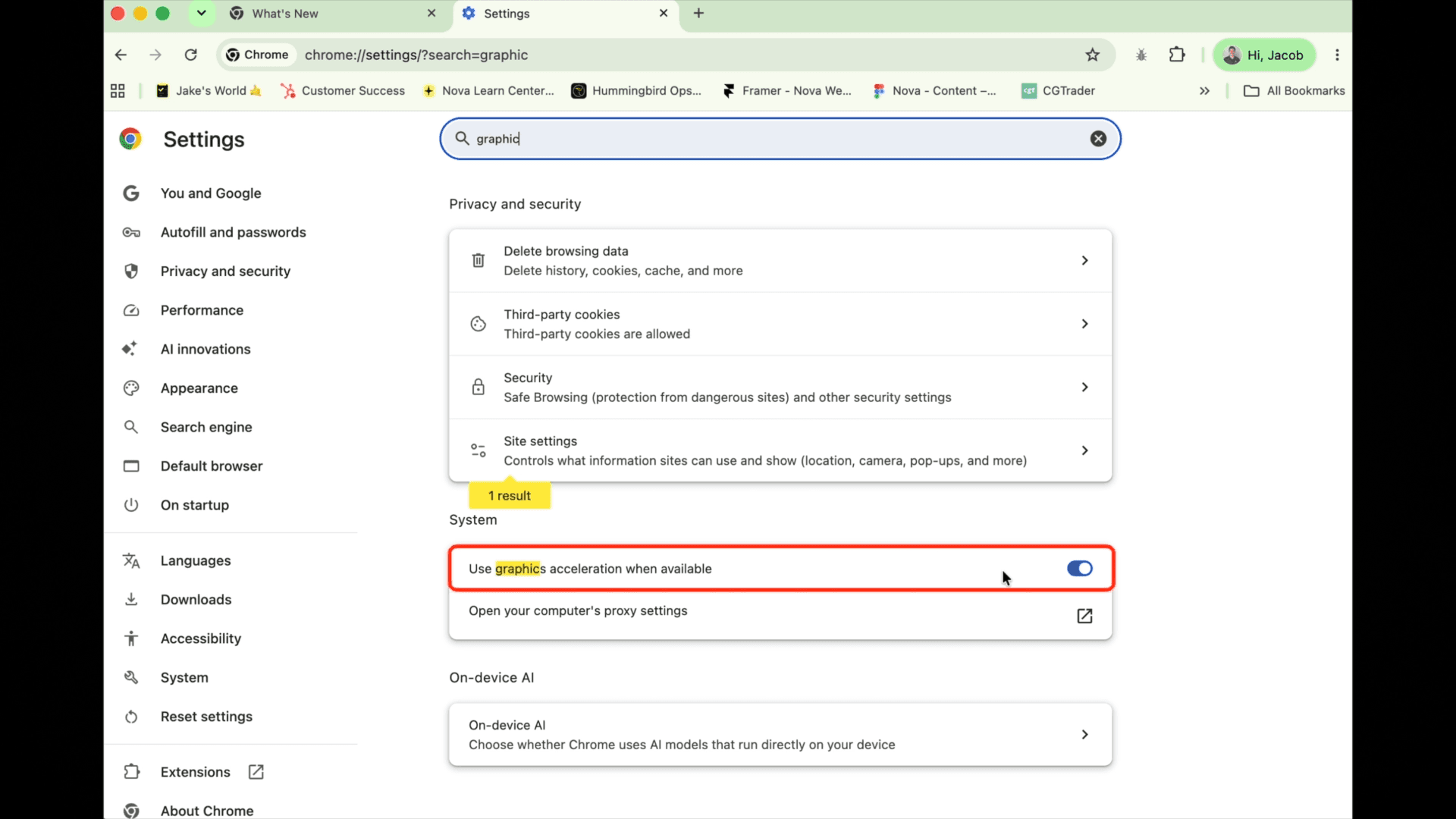
In the search bar, search for acceleration

Toggle the option “Use graphics acceleration when available” and re-open Google Chrome

Continue to Colorfinder
Related to Foundations