Data Collection
Obtaining Telemetry Data (SRT)
SRT files contain a log of GPS coordinates and altitude information that is essential for the Full Motion Video add-on. SRT files are turned on when Video Captions are enabled.
If you aren’t able to produce an SRT file, you can still upload your video footage without the geo-location.
Full Motion Video best works with DJI products
Turning On SRT Files with DJI Enterprise Drones
In DJI Pilot 2 - Select on “Enter Camera View”

Exit out of the Preflight Check by selecting the “X” in the top right Corner

Ensure that the CAM or Gimbal View is in the Full screen and FPV is in the minimized view in the bottom Right


When you notice the a White Circle on the right side of your screen its telling you you’re in the Camera Picture View. To change from Picture to Video Select the Icon directly above the Photo capture button (White Rectangle in a Rectangle) and form the first drop down Select the “Video icons”. The White circle will change to Red indicating you are in Video capture Mode


Above the Camera Icon Select the 3 Horizontal lines with 3 Vertical Ticks in them. This will bring up your Videos Settings


To the right of Video Settings select the 3 Dots to access additional settings

The first drop down will say “Video Caption” this button needs to be enabled to allow SRT Files to be generated

SRT Importing to Colorfinder and Videos
After Selecting Create and choosing Colorfinder or Video. You will be propted to Upload the Video by choosing your MP4 and SRT Files.
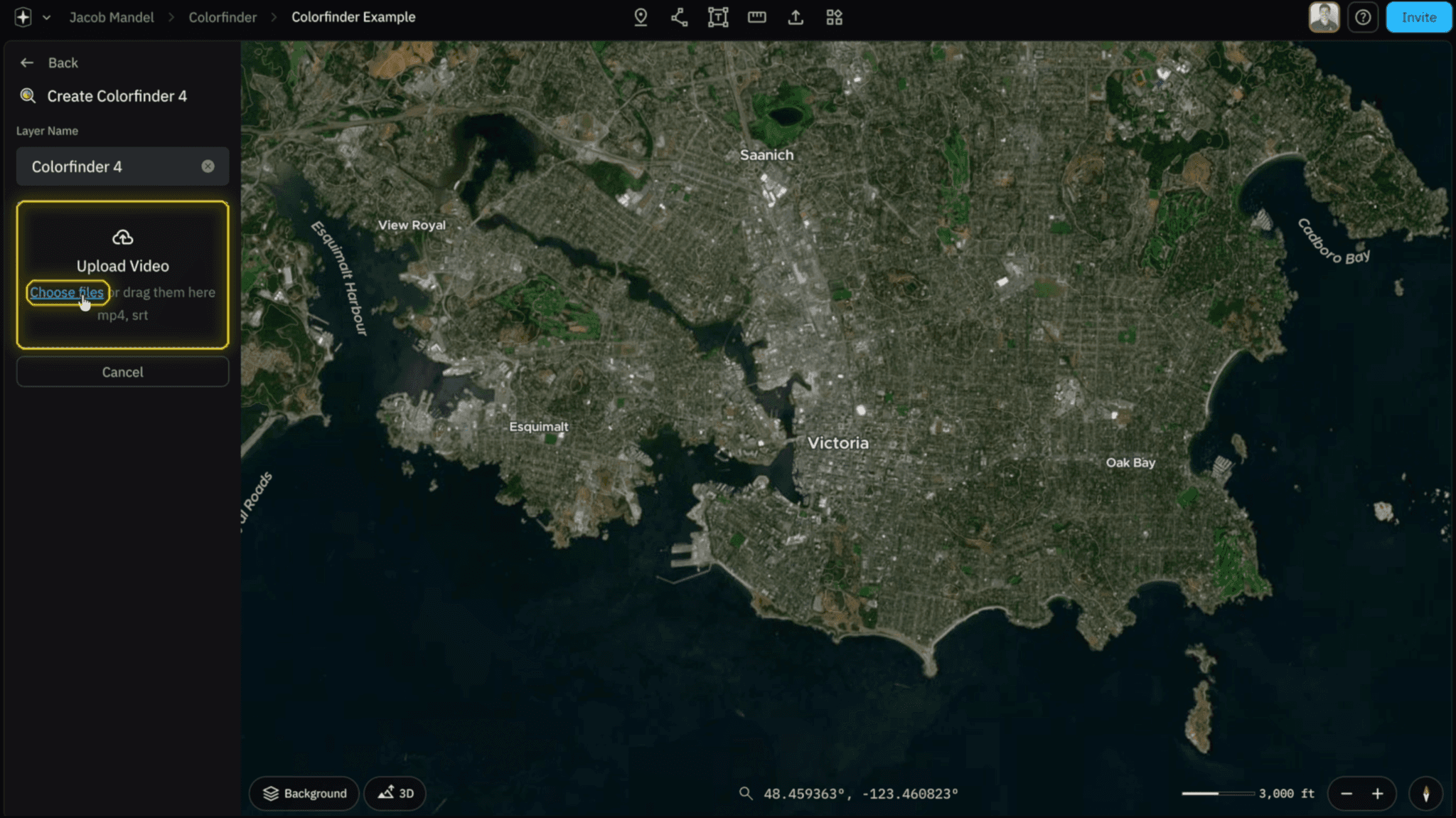
Select on your MicroSD card and the DCIM Folder


Right click on to Access the Tool Bar and select on “Date Created” to organize from most recent data collections, followed by the Data you collected


Your Data will appear with Various Video Files (S - Standard, T - Thermal, W - Wide, Z - Zoom). We want to Select both the _W.MP4 and _W.SRT files followed by the Open Button


When both Files are imported into Nova you will see 2 green checkmarks (✅). If you see a red X (❌) select on “Choose Files” and import the missing MP4 or SRT File

Related to Data Collection